
1.800.668.3752
Call us for a free quote
Call us for a free quote
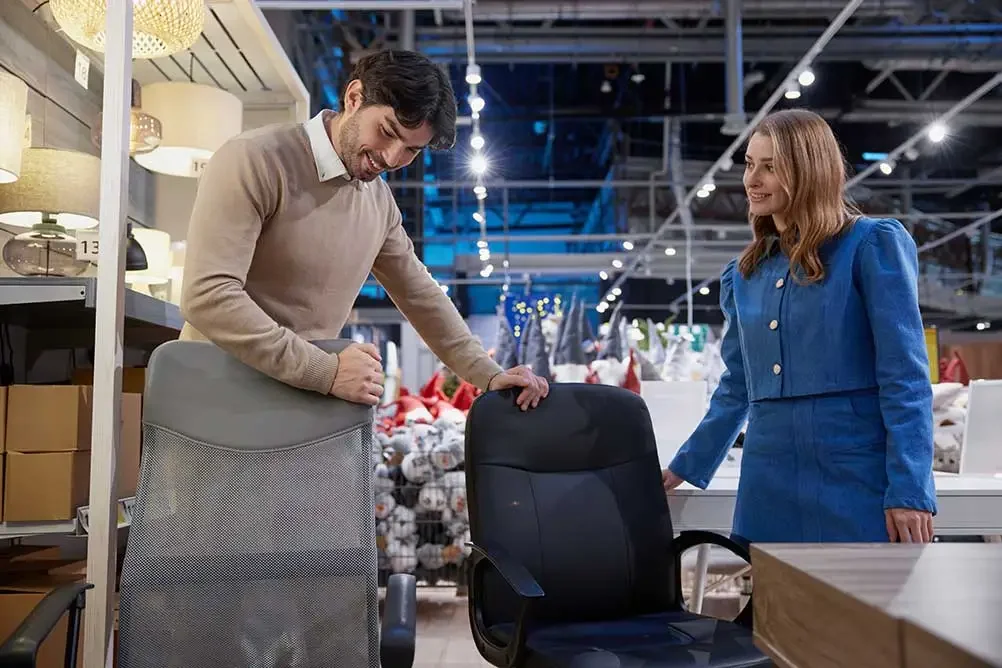
Your office chair represents one of the most important furniture investments for desk workers. Most office employees spend the majority of their workday sitting, making seating quality directly impact health, comfort, and productivity.
| Key Takeaways |
| Adjustability is essential—lumbar support, seat height, armrests, and seat depth should all adjust to fit your specific body dimensions |
| Proper lumbar support positioned at your lower back curve prevents back pain and supports natural spine alignment |
| Testing before buying is crucial—sit for extended periods testing all adjustments to ensure comfort across various postures |
| Key adjustments include seat height (feet flat, thighs parallel to floor), armrest height (shoulders relaxed, elbows comfortable), and lumbar positioning |
| Material choices affect comfort and durability—mesh backs provide breathability, fabric offers traditional comfort, leather signals executive presence |
| Investment matters—quality ergonomic chairs cost more initially but provide better support and last significantly longer than budget alternatives |
Health impact of poor seating: Prolonged sitting in unsupportive chairs contributes to back pain, neck strain, poor circulation, and repetitive stress issues. Poor posture from inadequate chairs creates discomfort that affects work quality and overall wellbeing. Workers using proper ergonomic chairs report less discomfort and often demonstrate better focus and productivity.
Beyond health—focus and performance: Discomfort distracts from work. When your back aches, shoulders tense, or legs feel uncomfortable, mental resources shift to managing discomfort rather than completing tasks. Ergonomic chairs supporting natural posture eliminate these distractions, enabling sustained focus throughout workdays.
Long-term value: Quality ergonomic seating represents an investment in health and productivity. When used daily over many years, the cost per hour of use becomes minimal compared to the benefits of comfort, health support, and sustained performance.
At Office Furniture Plus, we help Texas workers find ergonomic seating across our Irving (Dallas), Austin, and San Antonio showrooms. With chairs from leading ergonomic manufacturers and expertise in proper fitting, we ensure you select seating supporting your health and work style. This guide explains how to choose ergonomic office chairs that work for your body.
True ergonomic chairs include specific adjustable features supporting proper posture and accommodating different body types.
Why it matters: Your spine has natural curves—lumbar support maintains the inward curve of your lower back, preventing slouching that strains muscles and affects posture.
What to look for:
Testing: Sit fully back in chair. Lumbar support should press gently into your lower back curve. You shouldn’t need to lean forward or use additional pillows to achieve proper support.
Why it matters: Proper seat height keeps feet flat on floor, thighs roughly parallel to ground, and knees at a comfortable angle, preventing circulation problems and maintaining neutral posture.
What to look for:
Proper setting: Feet should rest flat on floor with clearance between front of seat and back of knees. Thighs should be roughly parallel to floor or angled slightly downward.
Why it matters: Seat too deep creates pressure behind knees restricting circulation. Seat too shallow provides inadequate thigh support.
What to look for:
Proper setting: Sit fully back against lumbar support. Should have comfortable clearance between back of knees and seat edge.
Why it matters: Properly positioned armrests reduce shoulder and neck strain by supporting arm weight. Poorly positioned armrests cause slouching or shoulder tension.
Adjustment types to consider:
| Adjustment Type | Benefit | Priority Level |
| Height | Supports arms without raising shoulders | Essential |
| Width | Accommodates different body sizes | Important |
| Pivot/angle | Allows comfortable forearm positioning | Useful |
| Forward/back | Positions armrests for different tasks | Useful |
Proper setting: Armrests should support forearms with shoulders relaxed (not raised or slumped). Arms should rest comfortably without forcing unnatural positions.
Why it matters: Chair must physically accommodate your body comfortably without feeling cramped or having excessive unused space.
Testing: Should have comfortable space on each side when seated. If hips press against armrests or seat edges, you need a wider chair. If you feel lost in the seat with excessive empty space, a smaller chair may be more supportive.
Why it matters: Recline allows position changes throughout day, reducing sustained pressure on spine and improving circulation.
Mechanism features to understand:
Synchro-tilt: Seat and back recline at different ratios maintaining proper back support throughout recline range. This is considered the superior mechanism for ergonomic chairs.
Tilt tension adjustment: Controls resistance when reclining, allowing customization to your weight and preference.
Tilt lock: Secures chair at specific recline angles if you prefer working at a particular position.
Multi-position lock: Allows locking at multiple angles providing options throughout the day.
Why it matters: Reaching items without twisting spine prevents strain. Mobility enables position changes reducing sustained static posture.
What to look for:
Ergonomic chairs aren’t one-size-fits-all. Your body dimensions, weight, and proportions determine which chairs will actually support you properly.
Height considerations:
Shorter individuals: Need chairs with lower seat height ranges and may benefit from models specifically designed for petite users. Adjustable seat depth becomes especially important.
Average height range: Most standard ergonomic chairs are designed to accommodate average heights comfortably.
Taller individuals: Require higher seat height ranges and taller back support. Look for models specifically noting tall or extended dimensions.
Very tall individuals: May need specialized chairs with extra-tall backs and extended adjustment ranges.
Weight considerations:
Standard capacity: Most ergonomic chairs support typical weight ranges with standard mechanisms and materials.
Heavy-duty needs: Reinforced mechanisms, sturdier construction, and often wider seats are available for higher weight capacities. Many manufacturers offer heavy-duty versions of popular models.
Specialized capacity: Chairs designed for higher weight capacities feature reinforced frames, heavy-duty mechanisms, wider seats, and appropriate weight ratings. Don’t compromise here—using chairs below your weight needs risks failure.
Body proportion considerations:
Long torso/short legs: May need adjustable lumbar positioning higher than standard and seat height that adjusts low enough.
Short torso/long legs: May need lower-positioned lumbar support and higher seat height range.
Wider build: Require wider seat width and wider armrest spacing or removable armrests.
Testing for your body: Sit in chairs for extended periods when possible. Test all adjustments. Pay attention to:
Material selection affects comfort, durability, breathability, and aesthetics.
Advantages:
Disadvantages:
Best for: Users who run warm, hot climates, modern office aesthetics, lower maintenance preference.
Advantages:
Disadvantages:
Best for: Traditional office settings, users prioritizing soft comfort.
Advantages:
Disadvantages:
Best for: Executive offices, professional client-facing environments, users prioritizing appearance and easy cleaning.
Density matters: Higher-density foam maintains support and comfort longer than lower-density alternatives. Quality foam shouldn’t compress completely (bottom out) when you sit.
Testing cushioning: Sit in chair for extended periods. Quality cushioning should remain supportive and comfortable without creating pressure points or bottoming out.
Understanding what you get at different price points helps make informed decisions.
Budget ergonomic chairs:
What you typically get:
Limitations:
Best for: Home offices, lighter-duty use, budget-conscious buyers, temporary solutions.
Mid-range ergonomic chairs:
What you typically get:
Best for: Full-time office workers, daily extended use, anyone prioritizing comfort and longevity.
Premium ergonomic chairs:
What you typically get:
Best for: Users spending extended hours seated daily, individuals with specific ergonomic needs, executive environments, long-term investments.
Purchasing an ergonomic chair is only half the equation—proper adjustment is essential for benefits.
Step-by-step adjustment process:
Step 1: Seat height
Step 2: Seat depth
Step 3: Lumbar support
Step 4: Armrests
Step 5: Backrest angle
Common adjustment mistakes:
| Mistake | Problem Created | Correct Approach |
| Seat too high | Feet dangle, pressure under thighs | Lower until feet flat on floor |
| Seat too low | Knees higher than hips | Raise until thighs roughly parallel |
| Armrests too high | Raised shoulders, tension | Lower until shoulders relaxed |
| Armrests too low | Slouching to reach them | Raise to comfortable arm height |
| No lumbar support | Lower back discomfort | Adjust lumbar to lower back curve |
| Sitting too far forward | No back support, poor posture | Sit fully back, adjust seat depth |
Testing your adjustments:
Work several hours in newly adjusted chair. Pay attention to:
Some adjustment period is normal as your body adapts to proper posture. Significant ongoing discomfort indicates adjustments need refinement.
Certain manufacturers are known for quality ergonomic seating.
Premium manufacturers:
Quality mid-range manufacturers:
What to look for regardless of brand:
Used ergonomic chairs can offer value but require careful evaluation.
Advantages of used chairs:
Cost savings: Used chairs cost substantially less than new equivalents, making premium brands more accessible.
Access to quality: Purchase higher-end chairs within more modest budgets.
Sustainability: Extending furniture lifespan reduces waste.
Availability: Often available immediately without manufacturing wait times.
What to inspect when buying used:
Mechanism function:
Structural integrity:
Upholstery condition:
Where to buy used chairs:
Office furniture dealers: Curated selection, professional cleaning, often limited warranties, delivery available. Best for quality assurance.
Office liquidations: Direct from companies downsizing. Lower prices but as-is condition.
Online marketplaces: Wide selection but requires careful in-person inspection.
When new makes more sense:
Lifespan depends on quality, usage intensity, and maintenance.
General expectations:
Budget chairs: Suitable for lighter use or shorter timeframes
Mid-range chairs: Good longevity with daily office use
Premium chairs: Designed for extended daily use over many years
Extending chair lifespan:
Regular maintenance:
Proper use:
Signs it’s time to replace:
Selecting the right ergonomic chair requires expert guidance, extensive options, and proper fitting. Office Furniture Plus provides comprehensive ergonomic seating solutions across our Texas locations in Irving (Dallas), Austin, and San Antonio.
Extensive ergonomic chair selection:
Premium brands: Herman Miller, Steelcase, Humanscale, Haworth—industry leaders in ergonomic seating.
Quality mid-range: HON, Global, Eurotech, OFM—proven ergonomic designs at various price points.
Specialized options: Big and tall chairs, petite chairs, drafting height chairs, intensive-use chairs.
Style variety: Mesh backs, leather upholstery, fabric options, modern designs, traditional executive styles.
Professional fitting guidance:
Body assessment: Our team helps evaluate your dimensions, proportions, and any specific concerns.
Testing and comparison: Try multiple chairs for extended periods with guidance on adjustment and evaluation.
Desk compatibility: Ensure selected chair works with your workspace setup.
Adjustment training: Detailed instruction on using all mechanisms and achieving optimal positioning.
New and used inventory:
Quality used chairs: Daily-changing inventory includes premium brands at substantial savings. All used chairs are professionally inspected and cleaned.
Mix and match: Combine new and used strategically to optimize budget.
Support services:
In-showroom testing: Spend time testing chairs thoroughly before purchase.
Delivery and setup: Professional delivery, assembly, and adjustment guidance.
Post-purchase support: Help troubleshooting adjustments if comfort issues develop.
Workplace programs:
Office-wide solutions: Ergonomic seating programs for businesses with options accommodating different needs and budgets.
Phased implementation: Budget-conscious businesses can upgrade chairs over time based on priorities.
Ready to find your ergonomic chair? Visit our Irving, Austin, or San Antonio showrooms to test chairs, receive fitting guidance, get a quote for your needs, or schedule a consultation.
How much should I spend on an ergonomic office chair?
Quality ergonomic chairs suitable for full-time office use typically cost more than basic office chairs, but provide better support and last longer. Budget options work for home offices or part-time use. Premium chairs offer ultimate comfort and extended longevity. Consider your usage intensity, health needs, and long-term value when determining appropriate investment. Test chairs at different price points to understand the differences in comfort and features.
What is the best ergonomic office chair?
The “best” chair depends on your body type, budget, and specific needs. Well-regarded brands include Herman Miller, Steelcase, and Humanscale for premium options, with quality mid-range alternatives available. Most important is proper fit—the best chair matches your body dimensions, provides adjustments you need, and feels comfortable during extended testing. Visit showrooms to test multiple options before deciding.
How do I know if my office chair is ergonomic?
True ergonomic chairs include adjustable lumbar support, seat height adjustment, seat depth adjustment, adjustable armrests, quality tilt mechanism, and full swivel. Test by sitting for extended periods—you should maintain natural posture comfortably without slouching or straining. Non-ergonomic chairs force poor posture or create pressure points. If you need pillows or cushions for comfort, the chair likely lacks proper ergonomic support.
Can an ergonomic chair help with back pain?
Proper ergonomic chairs can help reduce and prevent back pain by supporting natural spine alignment. Adjustable lumbar support maintains lower back curve preventing slouching that creates strain. However, chairs alone aren’t a complete solution—proper adjustment, good posture habits, regular movement breaks, and overall workspace ergonomics all contribute. Consult healthcare providers for persistent or severe back pain.
What’s the difference between mesh and fabric office chairs?
Mesh backs provide superior breathability preventing heat buildup, conform to body shape, and suit hot climates or users who run warm. Fabric offers softer, more traditional comfort but may require more maintenance. Mesh typically appears more modern; fabric more traditional. Choose based on climate, comfort preference, and aesthetic. Both can be equally ergonomic if the chair includes proper adjustments and support.
How tall should my office chair be?
Chair height is correct when sitting with feet flat on floor and thighs roughly parallel to ground with comfortable clearance between seat front and back of knees. Proper height depends on your body dimensions and desk height. Shorter individuals need chairs that adjust lower; taller individuals need higher ranges. Test different heights to find what allows comfortable, neutral posture with good circulation.
Should I buy a used ergonomic chair?
Quality used ergonomic chairs from reputable brands can offer excellent value. Premium chairs are built for extended lifespans, so well-maintained used models provide years of service. Inspect carefully—test all adjustments, check structural integrity, assess upholstery condition. Buy from reputable dealers providing professional cleaning when possible. Avoid heavily worn, damaged, or concerning condition chairs regardless of price.
How often should I replace my office chair?
Replace chairs when foam no longer provides support, mechanisms fail to hold adjustments, structural damage develops, or you experience persistent discomfort despite proper adjustment. Well-maintained quality chairs can last many years, while lower-quality or poorly maintained chairs may need earlier replacement. Signs include visible wear, sagging, failed adjustments, or developing discomfort that didn’t exist previously.