
1.800.668.3752
Call us for a free quote
Call us for a free quote
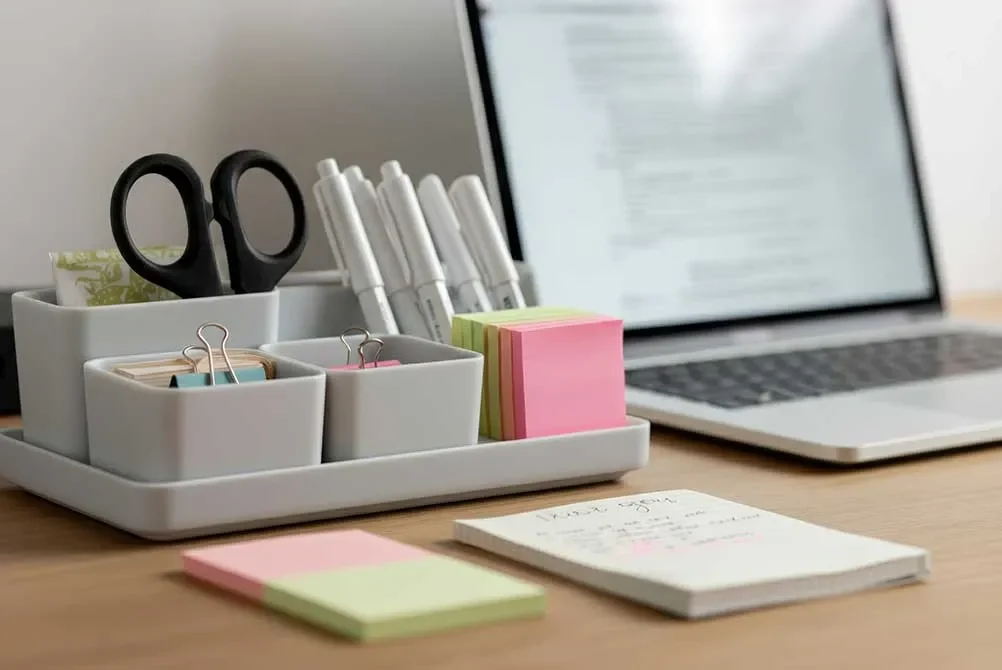
Disorganized workspaces drain mental resources and create measurable performance problems. Research from Princeton University demonstrates that physical clutter competes for attention, decreasing performance and increasing stress.
| Key Takeaways |
| Clutter reduces productivity by up to 40%—disorganized desks create visual distractions that interrupt focus and increase task completion time |
| The “zones” method divides your desk into primary work zone (keyboard/monitor), reference zone (documents), and supply zone (tools) for optimal efficiency |
| Vertical storage solutions including monitor stands, wall-mounted organizers, and desktop shelving maximize space without consuming valuable work surface |
| Daily 5-minute reset at day’s end prevents clutter accumulation and creates fresh starts each morning |
| Essential organization tools include drawer dividers ($10-30), cable management systems ($15-40), document trays ($20-50), and desk organizers ($25-75) |
| Minimalist approach keeps only items used daily on desk surface, with everything else stored in drawers or cabinets within arm’s reach |
Measurable productivity impacts:
Beyond speed, organization affects:
At Office Furniture Plus, we help Texas businesses create organized workspaces across our Irving (Dallas), Austin, and San Antonio showrooms. This guide presents practical office desk organization ideas that create lasting order rather than temporary tidiness.
Strategic item placement follows ergonomic principles and natural workflow patterns rather than aesthetic preferences alone.
The three-zone desk layout:
| Zone | Distance | What Belongs | Examples |
| Primary | Within 16″ | Constantly used items | Keyboard, mouse, notepad, pen |
| Secondary | 16-24″ | Frequently used items | Phone, documents, calculator |
| Tertiary | 24+”+ | Occasional items | Stapler, tape, extra supplies |
Placement by frequency:
Dominant hand positioning: Place frequently grabbed items on your dominant hand side. Right-handed workers position phones and notepads right; left-handed reverse this arrangement. This prevents awkward cross-body reaching.
Apply the “daily use test”: If you don’t use an item at least once daily, it shouldn’t occupy desk surface. Store occasional-use items in drawers or organizers.
Strategic drawer assignments prevent the “junk drawer” effect where everything becomes chaotic.
Drawer assignment by location:
Top center drawer:
Top side drawers:
Middle drawers:
Bottom drawers:
Essential drawer organization tools:
| Tool | Purpose | Price Range |
| Adjustable dividers | Create custom compartments | $10-$30 |
| Organizer trays | Separate small items | $15-$40 |
| Hanging file frames | Convert to filing system | $20-$35 |
| Cable boxes | Store cords without tangling | $10-$25 |
| Vertical file organizers | Stand files upright | $15-$30 |
Maintenance routine: Schedule monthly 10-minute drawer reviews removing unneeded items and reorganizing as collections change. Apply “one-in-one-out” rule when adding new items.
Vertical and hidden storage expands capacity without consuming work surface.
Vertical storage options:
Monitor stands with storage ($30-80): Raise monitors to ergonomic height while creating space underneath for keyboards, notebooks, or supplies.
Desktop shelving units ($40-120): Two or three-tier units utilize vertical space above work area. Choose units with 12-18 inch depth avoiding desk overwhelming.
Wall-mounted organizers ($25-75): Shelves, pegboards, or rail systems above desks hold items within reach without consuming surface space. Particularly effective in small offices.
Desktop file sorters ($25-50): Vertical or stepped holders organize active documents while minimizing footprint. Look for 3-5 compartments.
Hidden storage solutions:
Under-desk mobile pedestals ($80-250): Roll under desks providing filing and storage without permanent installation. Essential for desks lacking built-in drawers.
Cable management:
| Solution | Purpose | Cost |
| Cable trays | Mount under desk routing cords | $15-$35 |
| Cable sleeves | Bundle multiple cables together | $10-$25 |
| Cable clips | Route individual cables along paths | $8-$20 |
| Charging stations | Consolidate device charging | $25-$60 |
Paper management prevents document accumulation creating desk chaos.
The three-category system:
Action required: Documents needing responses or processing. Store in labeled tray in secondary desk zone. Process daily—never let accumulation exceed one week.
Reference/filing: Documents requiring retention but no action. File immediately rather than creating “to file” piles that grow indefinitely.
Recycle/shred: Documents requiring disposal. Keep recycling and shredder within reach. Process immediately.
Filing approaches:
Digital scanning strategy:
Digitize documents requiring retention but rarely needing physical access. Scan to cloud storage then shred physical copies.
Equipment: Flatbed scanners ($60-150) for occasional use; document feeders ($100-300+) for bulk scanning.
File naming: Use Date_Category_Description format (e.g., 2025-01-15_Invoice_ABC-Company). Include dates as YYYY-MM-DD for proper sorting.
Inbox management: Designate one location for all incoming paperwork. Process daily using the three-category system. Apply “touch it once” philosophy—handle documents once when possible.
Organization systems fail without maintenance habits supporting them.
The 5-minute daily reset:
End each workday with this routine:
Morning routine:
Throughout the day:
Weekly maintenance (Friday afternoon):
Dedicate final 15-20 minutes to:
Digital organization impacts productivity as significantly as physical desk organization.
Computer desktop rules:
Folder hierarchy example:
Documents
├── Clients
│ ├── Client A
│ │ ├── Projects
│ │ ├── Invoices
│ │ └── Correspondence
├── Projects
├── Financial
└── Reference
Keep hierarchy 2-4 levels deep. Deeper nesting becomes cumbersome.
File naming conventions:
Use consistent format: Date_Category_ProjectName_Version
Example: 2025-01-15_Report_Q4Analysis_v2
Email organization:
Inbox zero approach: Process emails to empty inbox daily. File retained emails into folders matching project or client categories.
Email folders: Clients, Projects, Financial, HR, Reference, Pending
Automate sorting: Create rules filtering emails by sender, subject, or content. Newsletters auto-route to “Reading” folder.
Unsubscribe aggressively: Eliminate unwanted emails at source rather than repeatedly deleting.
Digital decluttering schedule:
| Frequency | Task | Time |
| Daily | Empty recycle bin, close unused apps | 2 min |
| Weekly | Organize temp folder, file loose files | 10 min |
| Monthly | Archive old projects, delete duplicates | 30 min |
| Quarterly | Deep clean, delete unused files | 60 min |
Strategic tools support maintaining order without creating clutter.
Essential supplies:
| Item | Purpose | Price Range |
| Desktop organizer | Consolidate pens, scissors, small supplies | $20-$60 |
| Drawer dividers | Create custom compartments | $10-$30 |
| Document trays | Organize active paperwork | $15-$40 |
| File folders/holders | Document organization | $10-$35 |
| Label maker | Professional labels for everything | $25-$100 |
| Cable management | Prevent cord tangles | $15-$40 |
| Monitor stand | Raise screen, create storage | $30-$80 |
Selection guidelines:
Budget alternatives:
Shared desks require different approaches than dedicated personal workspaces.
Personal item solutions:
Shared space respect:
Minimal footprint approach:
Clean desk policy compliance:
Creating organized workspaces extends beyond supplies to selecting appropriate furniture supporting sustained organization. Office Furniture Plus provides comprehensive solutions across our Texas locations in Irving (Dallas), Austin, and San Antonio.
Desks designed for organization:
Storage furniture:
Professional services:
Corporate programs:
Ready to create an organized workspace? Visit our Irving, Austin, or San Antonio showrooms to explore desks with storage, filing solutions, and organization accessories, or get a quote for your office.
How do I organize my desk with limited space?
Use vertical storage—monitor stands, wall shelves, and stackable organizers extending upward rather than horizontally. Keep only daily-use items on desk surface. Store everything else in drawers, under-desk pedestals, or wall organizers. Apply minimalist principles where each desk item serves a purpose and gets used daily. Choose furniture with built-in storage and use drawer dividers maximizing capacity.
What’s the best way to organize desk drawers?
Assign each drawer specific purposes: top drawer for frequently-used small items with dividers; side drawers for active files using vertical filing; middle drawers for weekly-use supplies; bottom drawers for archives or personal items. Use drawer dividers, organizer trays, and hanging file frames preventing items from mixing. Purge monthly removing unused items and reorganizing as contents change. Apply “one-in-one-out” rule when adding new items.
How can I maintain desk organization long-term?
Implement 5-minute daily reset—clear surfaces, file papers, return items to locations. Follow “touch it once” principle handling documents only once when possible. Use “one-in-one-out” rule for supplies. Schedule weekly 15-minute deeper organization filing documents and restocking supplies. Systems maintain themselves only with consistent daily habits supporting them.
What desk organization products are worth buying?
Essential products: adjustable drawer dividers ($10-30), desktop organizers ($20-60), cable management ($15-40), document trays ($15-40), and monitor stands with storage ($30-80). Quality label makers ($25-100) support long-term organization. Avoid excessive supplies—choose items solving specific problems rather than accumulating products creating new clutter.
How do I organize paperwork on my desk?
Use three categories: action required (needs processing), reference (file immediately), and recycle/shred (dispose immediately). Keep only action-required documents on desk in designated trays, processing daily. File reference documents immediately rather than creating “to file” piles. Scan documents digitally when possible, storing electronically and shredding physical copies. Maintain single inbox processing daily.
Should I keep a minimalist desk or have items visible?
Balance minimalism with functionality—keep frequently used items (hourly or daily use) accessible without drawer searches. Hide occasional-use items in closed storage. Clear surfaces improve focus, but excessive minimalism reduces efficiency if constantly searching for hidden items. Keep primary work zone (16 inches front) clear except during active tasks. Secondary zones can hold organized, frequently-used items.
How do I organize a desk without drawers?
Add under-desk mobile pedestals ($80-200) providing drawer storage. Use desktop organizers consolidating supplies. Install wall-mounted shelves or pegboards for supplies and documents. Maximize vertical space with monitor stands and desktop shelving. Keep rolling cart beside desk for supplies and files. Choose accessories with built-in storage compartments maximizing organization capacity.
What’s the best way to organize computer cables?
Install cable trays ($15-35) under desks routing cables along specific paths. Use cable sleeves ($10-25) bundling cords together. Apply adhesive cable clips ($8-20) to desk edges guiding individual cables. Label cables identifying connections. Use desktop charging stations ($25-60) consolidating device charging in single locations. Coil excess cable with velcro ties preventing tangles.